Paste or speak
Paste a message, link, phone number, or email. You can also tap the microphone and describe what you received.
A clearer way to check before you act
Paste a message, link, phone number or upload an image. We’ll help you understand what to watch out for.
Do not submit bank details, OTP codes, passwords, or private personal information.
Free tools
Check questionable content in a few simple steps. You do not need a technical background.
Paste a message, link, phone number, or email. You can also tap the microphone and describe what you received.
Tap the camera icon to choose a screenshot or take a photo. PlodScam can look for text, QR codes, barcodes, and links.
Review the warning level, reasons, confidence, and suggested next step. A result is guidance, not a guarantee.
Do not send passwords, OTP codes, bank details, or private personal information. Use an official app or website to verify important requests.
Check whether your email address appears in a known data breach.
Review practical steps for email, banking, devices, passwords, and personal data.
Start the self-test →Send us a link to a suspicious Facebook, X, or TikTok post, video, or profile for review.
Report a suspected scam or harmful website.
For organizations
Contact us to discuss guidance for your team, members, or community.
Tell us what happened. Reports are reviewed later and are not analyzed instantly.

 Common scams in ThailandSee recently reported scams, how they work, and how to verify a request safely.Explore Thailand scam guide →
 Safety guidesPractical tips to protect yourself, your family, and your data.View guides →
 Community reportsSee what others are reporting in your area and worldwide.View reports →
We use multiple trusted sources and community signals, not a single engine.
See why we think it’s risky and how confident we are.
Checks are anonymous and temporarily processed.
Your reports help others avoid the same scam.
Community reporting
Tell us what happened. This is a personal experience report, not an instant analysis. PlodScam may review it later.
Website review
Share the URL and why you believe the site should be reviewed. A request does not guarantee that a website will be taken down.
Connect with us
Scan to open the official app or website.
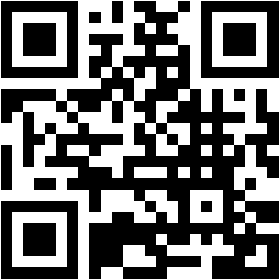
This QR currently opens the official app destination. Replace it with the PlodScam channel URL when that account is established.
Intermediary review
PlodScam reviews the information and may submit a report to TikTok on your behalf. A request is not a guarantee that TikTok will remove content.
PlodScam account
Use the PlodScam sign-in page to continue with Google or an invited email/password account.
Open sign-in pageHave I Been Pwned
Timeline of data breaches affecting your email address
Your email address is sent directly to Have I Been Pwned for the free public breach check. The result opens on their website; PlodScam does not store the address or the result. By using this service, you agree to their .
Get notified when your email appears in future data breaches.
Have I Been Pwned’s Terms of Use govern the external data breach checking service. Review them before sending an email address for checking.
Open Terms of Use ↗Create an account to revisit your inquiries later. Private-beta accounts can use Google or an invited email/password sign-in.
Create an accountWe use essential cookies to keep PlodScam working and optional cookies to improve the experience. You can change your choice at any time.
Welcome to PlodScam. I can show you how to use the site.

Intermediary review
Report to Facebook, X/Twitter, or TikTok
PlodScam reviews the information and may refer a report to the selected platform on your behalf.